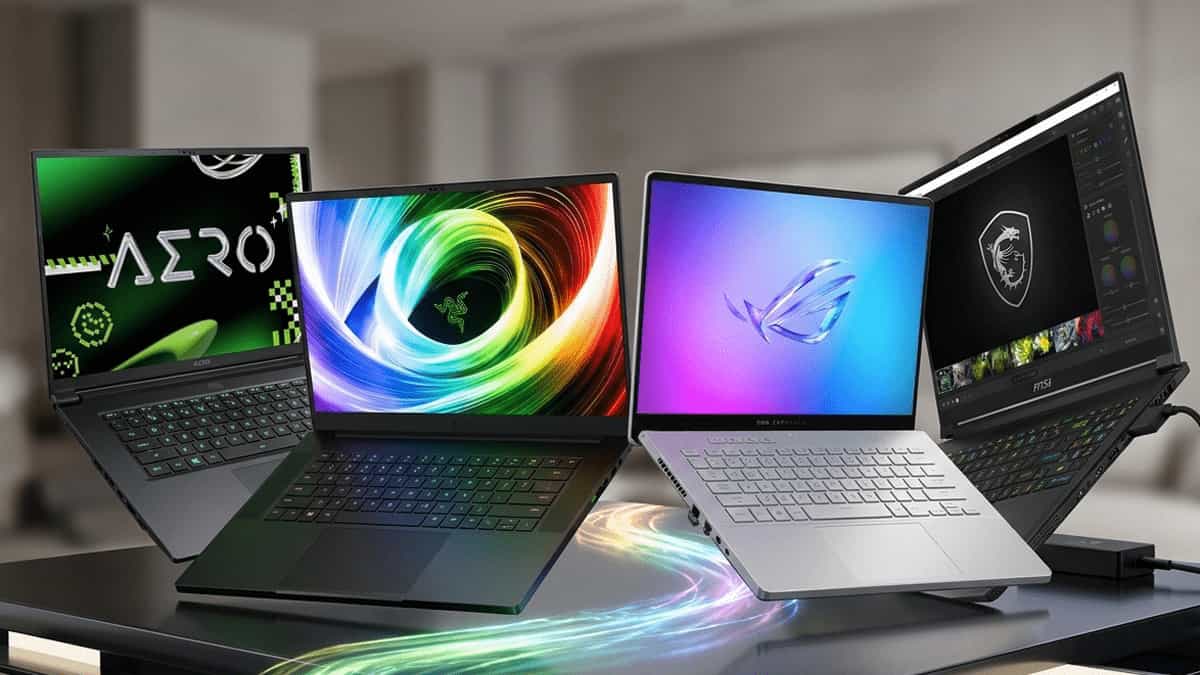
You’re hunting for a gaming laptop that won’t break the bank, but also won’t leave you frustrated with thermal throttling, noisy fans, or disappointing battery life. The ASUS TUF Gaming A16 has built a reputation as a durable all‑AMD contender. But how does it stack up against the popular Lenovo LOQ, HP Victus, and MSI Thin?
On paper, they all pack similar specs – Ryzen 7, RTX 4050 or Radeon graphics, 16GB RAM. In reality, the differences in build quality, battery life, display, and real‑world gaming performance can make or break your experience.
Let’s cut through the marketing and find out which budget gaming laptop is actually worth your money.
⚠️ Quick Heads‑Up: Know Your Variant
The ASUS TUF Gaming A16 comes in multiple configurations. The most common is the AMD Advantage Edition with Ryzen 7 7735HS + Radeon RX 7600S (or 7700S).
There are also Intel + NVIDIA versions, but the all‑AMD model is where the A16 shines – especially in battery life and efficiency. We’ll focus on that variant for this comparison.
At a Glance: The Contenders
| Model | Key Strengths |
|---|---|
| ASUS TUF Gaming A16 (AMD Advantage) | Excellent battery life, sturdy build, 165Hz 16:10 display |
| Lenovo LOQ 15 (Ryzen 7 + RTX 4050) | Balanced performance, good keyboard, often great value |
| HP Victus 16 (Ryzen 7 + RTX 4050) | Sleek design, solid cooling, competitive price |
| MSI Thin GF63 (i5 + RTX 4050) | Lightweight, affordable, but build and screen compromise |
All four target the sub‑₹80,000 / $800–$1000 segment, aiming for smooth 1080p gaming. But their strengths lie in different areas – battery life, portability, raw gaming power, or sheer value.
Full Feature Comparison Table
| Feature | ASUS TUF A16 | Lenovo LOQ 15 | HP Victus 16 | MSI Thin GF63 |
|---|---|---|---|---|
| CPU | Ryzen 7 7735HS | Ryzen 7 7840HS / 7435HS | Ryzen 7 7840HS | Intel Core i5‑12450H / i5‑13420H |
| GPU | Radeon RX 7600S / 7700S (8GB) | RTX 4050 (6GB) / RTX 4060 (8GB) | RTX 4050 (6GB) | RTX 4050 (6GB) |
| RAM | 16GB DDR5 (upgradable) | 16GB DDR5 (upgradable) | 16GB DDR5 (upgradable) | 8GB / 16GB DDR4 (often single channel) |
| Storage | 512GB / 1TB PCIe 4.0 SSD | 512GB / 1TB PCIe 4.0 SSD | 512GB / 1TB PCIe 4.0 SSD | 512GB PCIe 4.0 SSD |
| Display | 16″ WUXGA (1920×1200) 165Hz, 16:10 | 15.6″ FHD 144Hz / 165Hz | 16.1″ FHD 144Hz | 15.6″ FHD 144Hz (often 45% NTSC) |
| Battery | 90Wh (all‑AMD advantage) | 60Wh / 80Wh | 70Wh | 52Wh |
| Weight | 2.2 kg | 2.4 kg | 2.3 kg | 1.9 kg |
| Build Quality | MIL‑STD‑810H, tough chassis | Plastic with metal lid | Plastic chassis | All‑plastic, flex noticeable |
| Ports | USB4, USB 3.2, HDMI 2.1, LAN | USB‑C (DP), USB 3.2, HDMI 2.1 | USB‑C, USB 3.2, HDMI 2.1 | USB‑C, USB 3.2, HDMI |
| Price Range | Mid‑high | Mid | Mid‑low | Low |
Where These Laptops Actually Differ
(This Changes Your Choice)
1. Battery Life – The AMD Advantage
The ASUS TUF A16 (all‑AMD version) is the undisputed battery life king in this group. With a 90Wh battery paired with an efficient Ryzen CPU and Radeon GPU, it can easily deliver 8–10 hours of real‑world usage (web browsing, video). The others – especially the MSI Thin with its 52Wh battery – struggle to hit 4–5 hours. If you need a gaming laptop that doubles as a productivity machine away from the plug, the A16 wins.
2. Gaming Performance – NVIDIA vs. Radeon
- RTX 4050 (Lenovo LOQ, HP Victus, MSI Thin) – Delivers great 1080p gaming with DLSS 3 support. The 6GB VRAM can be a limitation in newer titles at higher textures.
- Radeon RX 7600S (ASUS TUF A16) – Slightly faster in rasterization than the RTX 4050, but lags in ray tracing and lacks DLSS. FSR is its alternative. The RX 7700S version is roughly on par with RTX 4060.
- RTX 4060 (Lenovo LOQ higher config) – The most powerful option if you can stretch your budget.
Verdict: If you play competitive shooters and value pure frame rates, the A16 is competitive. If you want ray tracing and DLSS, the RTX 4050/4060 options are better.
3. Display & Build Quality
- ASUS TUF A16 – 16″ 16:10, 165Hz, with good color accuracy (100% sRGB). The taller screen is great for productivity.
- Lenovo LOQ – Solid 15.6″ 144Hz/165Hz options, but the base model often has a 45% NTSC screen (washed out colors).
- HP Victus – Large 16.1″ screen, but the hinge is known to be less durable; many users report wobble.
- MSI Thin GF63 – The weakest screen – often 45% NTSC, and build quality is very flex‑prone. It’s the most portable but feels cheap.
4. Portability & Weight
If you need a lightweight machine, the MSI Thin at 1.9 kg is the most portable. The ASUS TUF A16 (2.2 kg) is still reasonable given its larger battery and metal‑reinforced chassis.
5. Upgradeability & RAM
All except the MSI Thin (which sometimes uses DDR4) support DDR5 and have two SODIMM slots. The MSI Thin may come with 8GB soldered + 8GB, or single channel – always check. The TUF A16 has two accessible slots for easy upgrades.
Don’t Overthink It — Here’s the Simple Answer
- Need all‑day battery life and a tough build? → Go ASUS TUF A16 (AMD Advantage)
- Want the best gaming performance for the price with DLSS? → Go Lenovo LOQ (RTX 4050/4060 variant)
- Looking for the lightest and cheapest entry? → Go MSI Thin (but accept screen and build compromises)
- Want a sleek look with balanced features? → HP Victus is the middle ground
Which One Should You Choose?
Pick the ASUS TUF Gaming A16 if …
- You need 8+ hours of battery life away from the charger.
- You value a sturdy, MIL‑STD‑certified chassis for travel.
- You prefer the 16:10 tall display for productivity and gaming.
- You’re okay with AMD’s FSR instead of DLSS.
Pick the Lenovo LOQ 15 if …
- You want maximum gaming frame rates with an RTX 4050 or 4060.
- You like the Legion‑like design but at a lower price.
- You can stretch to the RTX 4060 + 165Hz 100% sRGB model.
Pick the HP Victus 16 if …
- You prefer a sleek, minimalist design.
- You want a large 16.1″ screen without paying a premium.
- You don’t mind a slightly wobbly hinge and average battery life.
Pick the MSI Thin GF63 if …
- Portability and low price are your only priorities.
- You plan to use it mostly plugged in for gaming.
- You’re willing to upgrade RAM and SSD yourself.
Final Thoughts
The ASUS TUF Gaming A16 stands out as the most complete package for users who need a durable, long‑lasting gaming laptop that can also handle a full day of work or classes. The all‑AMD configuration delivers fantastic battery life and solid 1080p gaming performance.
If pure gaming power is your only goal and you’re always near an outlet, the Lenovo LOQ with an RTX 4060 is the better performer. The HP Victus and MSI Thin are viable budget options but come with noticeable compromises in build quality or screen.
Choose based on your lifestyle – not just the spec sheet.
More PC & Laptop Resources
- How Much RAM Do You Need for Gaming? – Read the guide
- HDD vs SSD vs NVMe: Which Storage Should You Choose? – Comparison
- Best 2TB and 4TB SATA SSDs – Features Compared – Storage upgrades
- Why USB‑C to HDMI Adapters Fail (And What Actually Works) – Troubleshooting
- Windows 11 System Minimum Requirements – Check compatibility
This article was originally published on Mukunda Software. Specifications based on manufacturer data as of March 2026. Prices and availability may vary.