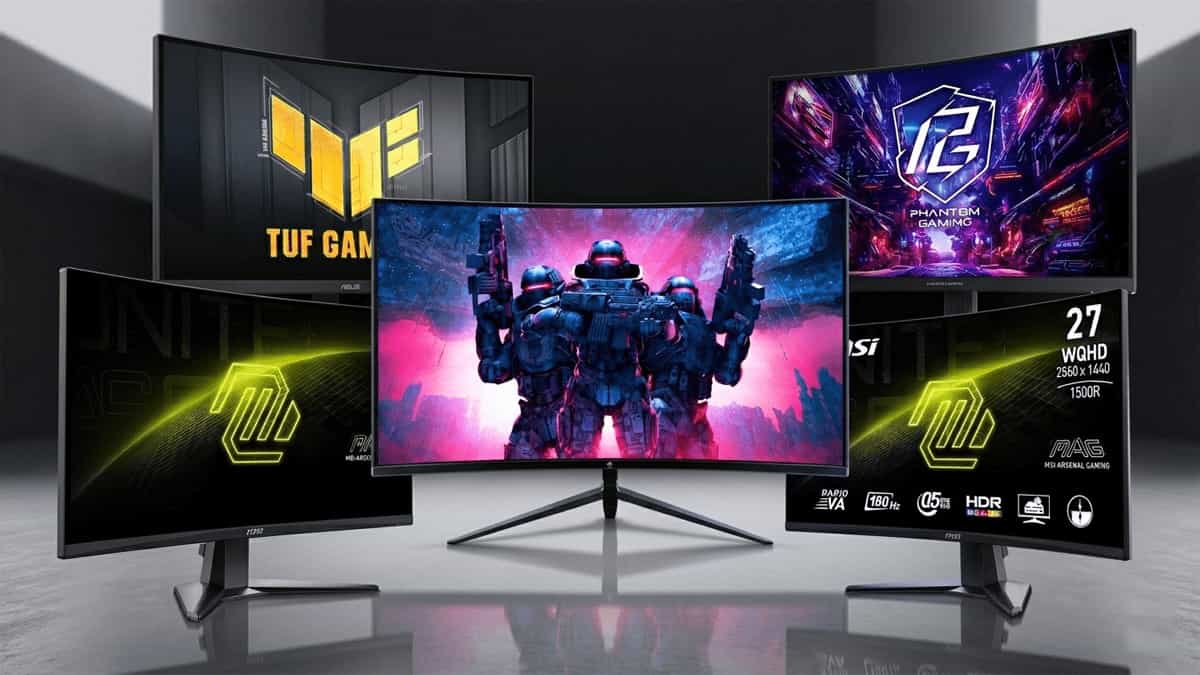
You’re hunting for a curved 27‑inch gaming monitor, and the options are overwhelming. Some promise ultra‑fast 280 Hz, others focus on crisp 1440p visuals, and a few try to balance both. The MSI MAG 27CQ6F, ASRock PG27QRT1B, Z‑EDGE 27″ 280 Hz, ASUS TUF VG27WQ3B, and MSI MAG 27C6F all fall into the curved gaming category, but they target very different priorities.
One gives you silky‑smooth 280 Hz at 1080p; another delivers sharp 1440p with rich colours; and a couple offer a sweet‑spot 1440p at 180 Hz. If you’re confused about which curved monitor actually fits your gaming style and budget, you’ve come to the right place.
Let’s cut through the marketing and find out which curved 27″ monitor deserves a spot on your desk.
At a Glance: The Contenders
| Model | Key Strengths |
|---|---|
| MSI MAG 27CQ6F | 27″ QHD (1440p) 180 Hz, 0.5 ms, FreeSync, HDR, curved – solid all‑rounder |
| ASRock Phantom Gaming PG27QRT1B | 27″ QHD 180 Hz, FreeSync Premium, 95% DCI‑P3 – excellent colour for the price |
| Z‑EDGE 27″ 280 Hz | 27″ FHD (1080p) 280 Hz, 1 ms – highest refresh rate, budget‑friendly |
| ASUS TUF Gaming VG27WQ3B | 27″ QHD 180 Hz, 0.5 ms, 1500R curve, ELMB – solid ASUS build with motion clarity |
| MSI MAG 27C6F | 27″ FHD 180 Hz, 0.5 ms, Adaptive Sync, HDR – affordable curved 1080p option |
All five use VA panels (the standard for curved gaming monitors), offer AMD FreeSync (or Adaptive Sync), and target the 27‑inch curved segment. But the resolution, refresh rate, colour accuracy, and extra features vary significantly.
Full Feature Comparison Table
| Feature | MSI MAG 27CQ6F | ASRock PG27QRT1B | Z‑EDGE 27″ 280 Hz | ASUS TUF VG27WQ3B | MSI MAG 27C6F |
|---|---|---|---|---|---|
| Screen Size | 27″ | 27″ | 27″ | 27″ | 27″ |
| Resolution | 2560×1440 (QHD) | 2560×1440 (QHD) | 1920×1080 (FHD) | 2560×1440 (QHD) | 1920×1080 (FHD) |
| Refresh Rate | 180 Hz | 180 Hz | 280 Hz | 180 Hz | 180 Hz |
| Response Time | 0.5 ms (MPRT) | 1 ms (MPRT) | 1 ms (MPRT) | 0.5 ms (MPRT) | 0.5 ms (MPRT) |
| Panel Type | VA | VA | VA | VA | VA |
| Curvature | 1500R | 1500R | 1500R | 1500R | 1500R |
| Adaptive Sync | AMD FreeSync | AMD FreeSync Premium | FreeSync (likely) | AMD FreeSync | Adaptive Sync |
| HDR | HDR Ready | HDR Ready | No (not specified) | HDR10 | HDR Ready |
| Colour Gamut | Not specified | 95% DCI‑P3 | Not specified | Not specified | Not specified |
| Brightness | 250 cd/m² (typical) | 300 cd/m² | 250 cd/m² | 250 cd/m² | 250 cd/m² |
| Ports | 2x HDMI, 1x DP | 2x HDMI 2.0, 1x DP 1.4 | 2x HDMI, 2x DP | 2x HDMI 2.0, 1x DP 1.2 | 2x HDMI, 1x DP |
| VESA Mount | 100×100 mm | 75×75 mm | 75×75 mm | 100×100 mm | 100×100 mm |
| Price Range | Mid | Mid | Low‑Mid | Mid | Low |
Where These Monitors Actually Differ
(This Changes Your Choice)
1. Resolution – QHD vs. FHD
- QHD (1440p) monitors (MSI MAG 27CQ6F, ASRock PG27QRT1B, ASUS VG27WQ3B) deliver significantly sharper images than 1080p at 27 inches. Text, UI, and game details look crisp. They require a stronger GPU (RTX 3060 / RX 6600 or higher) to drive games at native resolution.
- FHD (1080p) monitors (Z‑EDGE, MSI MAG 27C6F) are easier on the GPU, making them ideal for budget builds or for those who prioritise high frame rates over pixel density. However, at 27 inches, the pixel density is lower, so some users notice visible pixels up close.
2. Refresh Rate – Speed vs. Sharpness
- Z‑EDGE wins on raw refresh: 280 Hz is a dream for competitive shooters and esports. But it’s only 1080p, so you’re trading visual clarity for motion smoothness.
- The QHD models all run at 180 Hz – more than enough for even competitive gaming, and still incredibly smooth.
3. Colour Accuracy & Visual Quality
- ASRock PG27QRT1B stands out with 95% DCI‑P3 coverage, which translates to richer, more vibrant colours. It’s a great choice if you also do creative work (photo/video editing) alongside gaming.
- The others don’t advertise specific colour gamuts, so expect typical VA panel colours – decent but not professional‑grade.
4. Features & Ergonomics
- ASUS TUF VG27WQ3B adds Extreme Low Motion Blur (ELMB), which works alongside FreeSync to reduce ghosting. It also has a solid OSD and build quality.
- MSI models include Less Blue Light and Anti‑Flicker technology, which is easier on the eyes during long sessions.
- VESA mount compatibility varies – check before buying if you plan to use a monitor arm.
5. Connectivity
- All have HDMI and DisplayPort. The Z‑EDGE includes two DisplayPorts, which is handy for multi‑device setups.
- The ASRock and ASUS use HDMI 2.0, which can still deliver 1440p at 144 Hz; DP is the better option for full 180 Hz.
Don’t Overthink It — Here’s the Simple Answer
- Want the best all‑around QHD curved monitor? → MSI MAG 27CQ6F or ASUS TUF VG27WQ3B (both solid)
- Want the richest colours for creative work + gaming? → ASRock PG27QRT1B (95% DCI‑P3)
- Want the absolute highest refresh rate for competitive gaming? → Z‑EDGE 27″ 280 Hz
- On a tight budget but still want a curved 27″? → MSI MAG 27C6F (1080p, 180 Hz)
Which One Should You Choose?
Pick the MSI MAG 27CQ6F if …
- You want QHD clarity at a reasonable price.
- You prefer a 1500R curve and 0.5 ms response.
- You need HDR Ready and a clean design.
Pick the ASRock Phantom Gaming PG27QRT1B if …
- You do creative work (photo/video) and need 95% DCI‑P3 colour accuracy.
- You want FreeSync Premium for smoother low‑frame‑rate compensation.
- You value a 300 cd/m² brightness for slightly better HDR pop.
Pick the Z‑EDGE 27″ 280 Hz if …
- You’re a competitive esports player who prioritises refresh rate above all.
- You’re on a budget but still want a large curved screen.
- Your GPU can push 280+ fps in your favourite games.
Pick the ASUS TUF Gaming VG27WQ3B if …
- You want a trusted ASUS build with ELMB for extra motion clarity.
- You like the 1500R curvature and a fully adjustable stand (check tilt/swivel options).
- You want a reliable QHD 180 Hz monitor with good warranty support.
Pick the MSI MAG 27C6F if …
- You’re building a budget gaming PC and can’t drive QHD smoothly.
- You still want a curved 27″ with decent 180 Hz refresh and adaptive sync.
- You prefer MSI’s Less Blue Light / Anti‑Flicker for long sessions.
Final Wrap
Choosing between these five curved monitors comes down to one simple trade‑off: resolution vs. refresh rate.
If your GPU can handle it, a 1440p QHD monitor (MSI MAG 27CQ6F, ASRock PG27QRT1B, or ASUS TUF VG27WQ3B) will give you a much sharper image that looks great in both games and daily use. Among these, the ASRock stands out for colour, while the MSI and ASUS are solid all‑rounders.
If you’re a competitive gamer who values every extra Hz, the Z‑EDGE 280 Hz gives you an edge in fast‑paced shooters, albeit at 1080p. For the absolute budget‑friendly curved experience, the MSI MAG 27C6F (1080p, 180 Hz) is a great entry point.
Whichever you choose, a curved 27‑inch VA panel will give you immersive gaming with deep blacks and decent viewing angles. Pair it with a good GPU and enjoy the ride.
More PC & Gaming Resources
This article was originally published on Mukunda Software. Specifications based on manufacturer data as of March 2026. Prices and availability may vary.