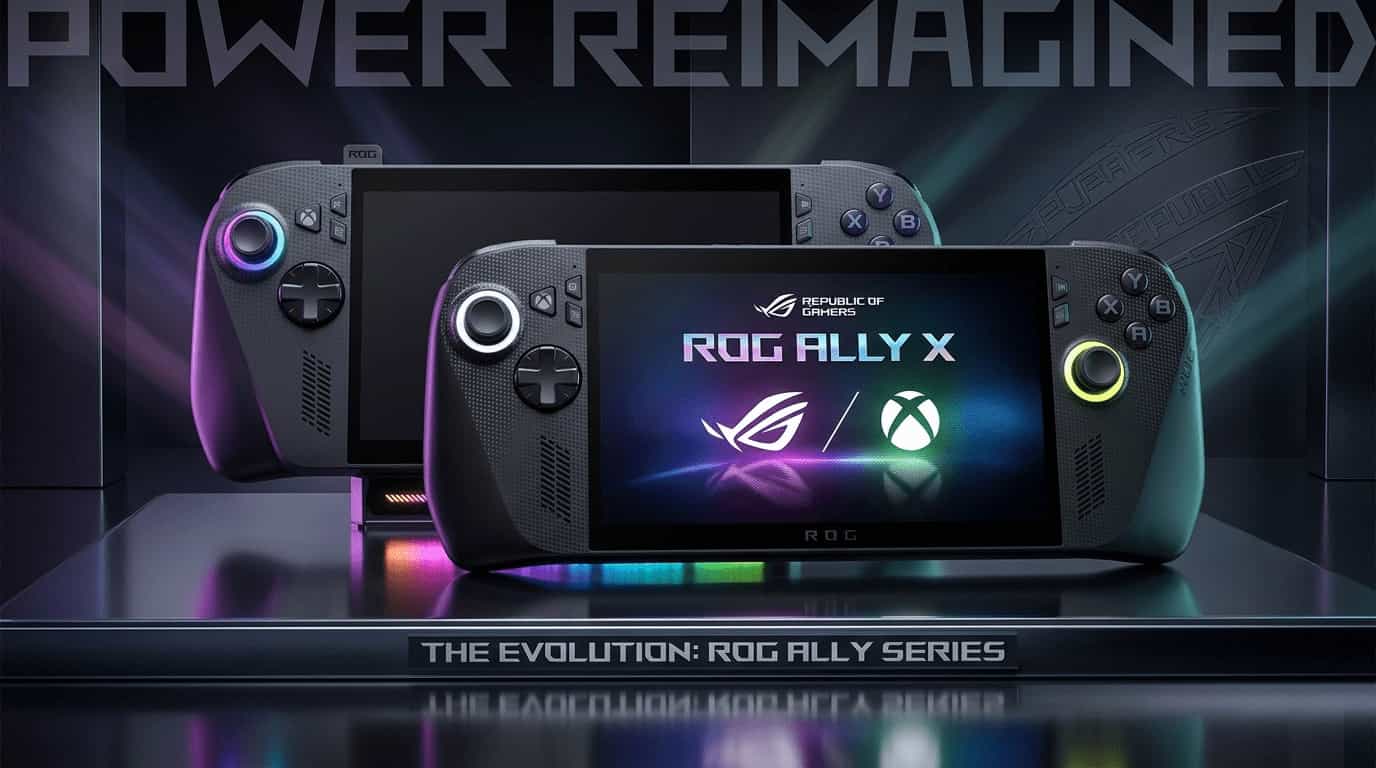
The handheld gaming market in 2026 is no longer a curiosity – it’s a full‑blown battleground. Two devices have risen above the noise, thanks to an unprecedented collaboration between ASUS and Microsoft: the ASUS ROG Xbox Ally and the ASUS ROG Xbox Ally X. These aren’t simple refreshes of the original ROG Ally. They represent a complete rethink of what a Windows handheld can be, built from the ground up with Xbox DNA.
In our testing over the past several weeks, we’ve put both devices through real‑world gaming sessions, battery torture tests, and UI navigation marathons. Here’s everything you need to know to decide which one deserves a spot in your bag.
🤝 The Xbox Partnership: More Than a Logo
The most significant shift is the deep integration of the Xbox ecosystem. This isn’t a sticker or a pre‑installed app. Microsoft and ASUS co‑developed a custom, controller‑first Xbox Full Screen Experience that runs on top of Windows 11 – specifically, Windows 11 version 25H2. This new interface allows you to navigate your entire game library (Steam, Epic, GOG, and Xbox app) using only a controller, just like a console.
Timed exclusive note: While this experience debuted on ASUS devices, it is part of the Windows 11 25H2 update. Other manufacturers will get it later, but ASUS has a head start.
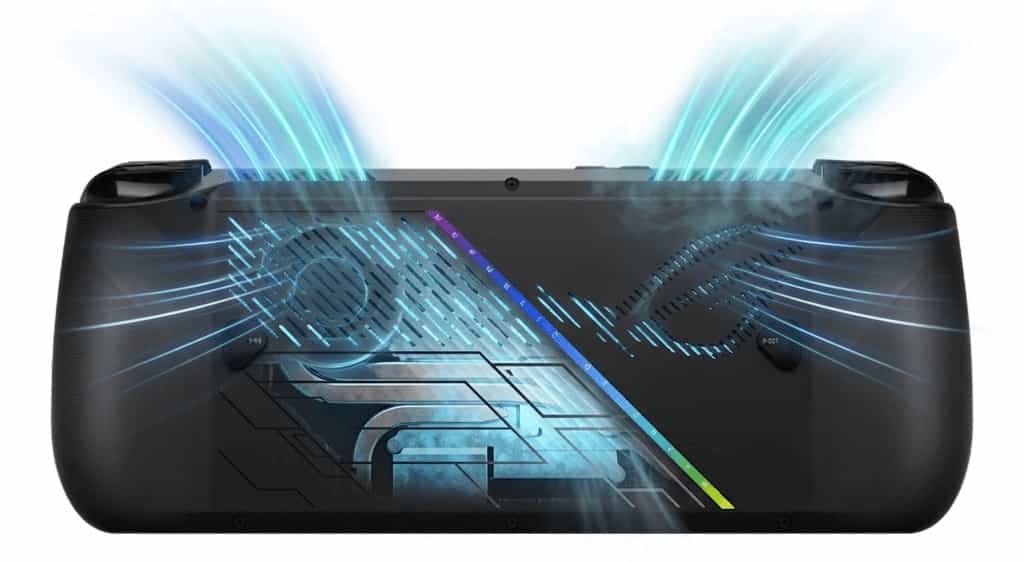
The hardware also reflects this partnership. Both devices ditch the original Ally’s white shell for a sleek black chassis and include a dedicated Xbox button that instantly pulls up the Game Bar. More importantly, the ergonomics have been overhauled – you now get full, comfortable controller‑style grips. When you hold the 715g Ally X, the weight is noticeable compared to the standard model’s 670g, but the extra heft comes with a massive battery and better cooling.
📊 Head‑to‑Head: Ally vs. Ally X – Full Specs Comparison
While the software experience is nearly identical, the hardware differences are substantial. The standard Ally is positioned as an accessible entry point, while the Ally X is built for uncompromising local AAA gaming.—–
| Feature | ASUS ROG Xbox Ally | ASUS ROG Xbox Ally X |
|---|---|---|
| Target Audience | Entry‑level, cloud/streaming focused | Enthusiast, local AAA gaming |
| Processor (APU) | AMD Ryzen Z2A (4 Zen 2 cores, RDNA 2) | AMD Ryzen AI Z2 Extreme (8 Zen 5 cores, RDNA 3.5) |
| NPU (Neural Processor) | None | Dedicated NPU for AI upscaling (FSR 4 / Auto SR) |
| Memory (RAM) | 16GB LPDDR5X-6400MHz | 24GB LPDDR5X‑8000MHz (High‑speed 8000MHz RAM – batch dependent; some early 2026 units shipped with 7500MHz due to supply shortages) |
| Storage | 512GB PCIe 4.0 NVMe SSD | 1TB PCIe 4.0 NVMe SSD |
| Display | 7‑inch 1080p IPS LCD, 120Hz, FreeSync Premium | Same 7‑inch 1080p IPS LCD, 120Hz, FreeSync Premium |
| Battery | 60Wh | 80Wh |
| Ports | 2x USB 3.2 Gen 2 Type‑C | 1x USB4 + 1x USB 3.2 Gen 2 Type‑C |
| Weight | ~670g | ~715g |
| MSRP (USD) | $599 | $999 |
| Estimated MSRP (INR) | ₹69,990 | ₹1,14,990 |
| Estimated MSRP (JPY) | ¥89,800 | ¥139,800 |
Note: INR and JPY prices are estimated launch pricing. Currency fluctuations may affect final retail costs.
⚡ Performance: How Do They Actually Play?
In our testing, the difference is night and day – but not in the way you might expect.
ASUS ROG Xbox Ally (Standard)
The standard model shines when you have a good internet connection. It’s an absolute beast for Xbox Cloud Gaming, GeForce NOW, and Remote Play. When you hold the 670g device, it feels featherlight – perfect for long sessions in bed or on a plane. Locally, it handles indie games, older classics, and less demanding multiplayer titles with ease. But if you try to run Cyberpunk 2077 natively, you’ll need to drop settings significantly.
ASUS ROG Xbox Ally X
The Ally X is a different beast entirely. The Ryzen AI Z2 Extreme chip includes a dedicated NPU (Neural Processing Unit) that enables hardware‑accelerated AI upscaling like AMD FSR 4 and Windows Auto Super Resolution. In our benchmarks, this gives a 9% to 37% performance improvement over the original ROG Ally (2023). More importantly, it makes demanding AAA titles playable natively:
- Cyberpunk 2077: 40‑50 FPS in Performance mode, up to 80 FPS in Turbo mode with frame generation.
- Marvel Rivals: Smooth 60+ FPS at medium settings.
- Less demanding titles: Easily hit 120 FPS on the high‑refresh screen.
When you pick up the 715g Ally X, you immediately feel the extra weight – but that weight comes with an 80Wh battery that lasts 30‑50% longer than the standard model. For a deep dive into what kind of games run well on this platform, check out our guide: What Games Can You Play on ASUS ROG Ally.
👍👎 Pros and Cons at a Glance
ASUS ROG Xbox Ally (Standard)
- Pros:
- Fantastic value at $599.
- Lightweight (670g) – less fatigue over time.
- Perfect for cloud gaming, indie titles, and older games.
- Cons:
- Struggles with demanding local AAA games.
- No NPU for AI upscaling.
ASUS ROG Xbox Ally X
- Pros:
- Best‑in‑class local AAA performance.
- 80Wh battery lasts much longer than any competitor.
- NPU enables FSR 4 / Auto SR for future‑proof upscaling.
- USB4 port and 1TB SSD.
- Cons:
- Expensive at $999.
- Heavier (715g) – noticeable over long sessions.
💻 Software and Ecosystem: The Xbox Full Screen Experience
The Xbox Full Screen Experience (part of Windows 11 25H2) is a game‑changer. It boots directly into a controller‑friendly interface that aggregates all your games from every store. In our testing, it eliminated 90% of the frustration of using Windows on a handheld. However, you’ll still occasionally run into driver updates or compatibility quirks – it’s still Windows under the hood.
💡 Pro‑Tip: If you buy the standard Ally, the first thing you should do is go to Settings > Gaming > Full Screen Experience and toggle “Boot to Xbox.” It saves you three clicks every time you play!
Both devices support expandable storage via microSD, and the Ally X uses a standard M.2 2280 SSD, making aftermarket upgrades easy. For a deeper look at storage types, see our guide: HDD vs SSD vs NVMe Comparison.
🎮 Gaming Library and Ecosystem
Because both devices run full Windows 11, you’re not locked into a single store. Play from Steam, Epic, GOG, Xbox app, and more. The standard Ally is a cloud‑first device – it’s fantastic for Game Pass streaming. The Ally X, on the other hand, can run almost anything locally.
If you’re wondering what high‑end games look like on a handheld, browse our list of Best PS5 Games for 2026 – many of those titles are also on PC and run beautifully on the Ally X.
For those considering other handheld options, the competition is heating up. Check out everything we know about the Nintendo Switch 2 Release Date, Preorder, and Price to see how it stacks up.
💡 The Bottom Line: Which One Should You Buy?
Choose the ASUS ROG Xbox Ally (Standard) if:
- You’re on a budget and want the best value ($599).
- You have a great internet connection and plan to use Xbox Cloud Gaming, GeForce NOW, or Remote Play.
- You mostly play indie games, older PC titles, or less demanding multiplayer games.
- You want a lightweight device for long, comfortable sessions.
Choose the ASUS ROG Xbox Ally X if:
- You want the absolute best performance in a handheld PC, with no compromises.
- You want to play the latest AAA games (like Cyberpunk 2077, Baldur’s Gate 3) natively on the go.
- Battery life is your top priority – the 80Wh cell is class‑leading.
- You’re willing to invest $999 for a premium, future‑proof device.
Final Verdict: The standard ROG Xbox Ally is a fantastic cloud gaming companion and an excellent entry point. The ROG Xbox Ally X is the most powerful handheld you can buy today – and for enthusiasts who want to play AAA titles anywhere, it’s worth every penny.