Want to share your Snaps with more than just friends? Snapchat’s Public Profile feature allows you to showcase your content to a wider audience, similar to Instagram or TikTok. You can post public Stories, showcase Lenses, and even get discovered in Snapchat’s Spotlight. This guide walks you through eligibility requirements, step-by-step setup, and tips to grow your followers.
What Is a Snapchat Public Profile?
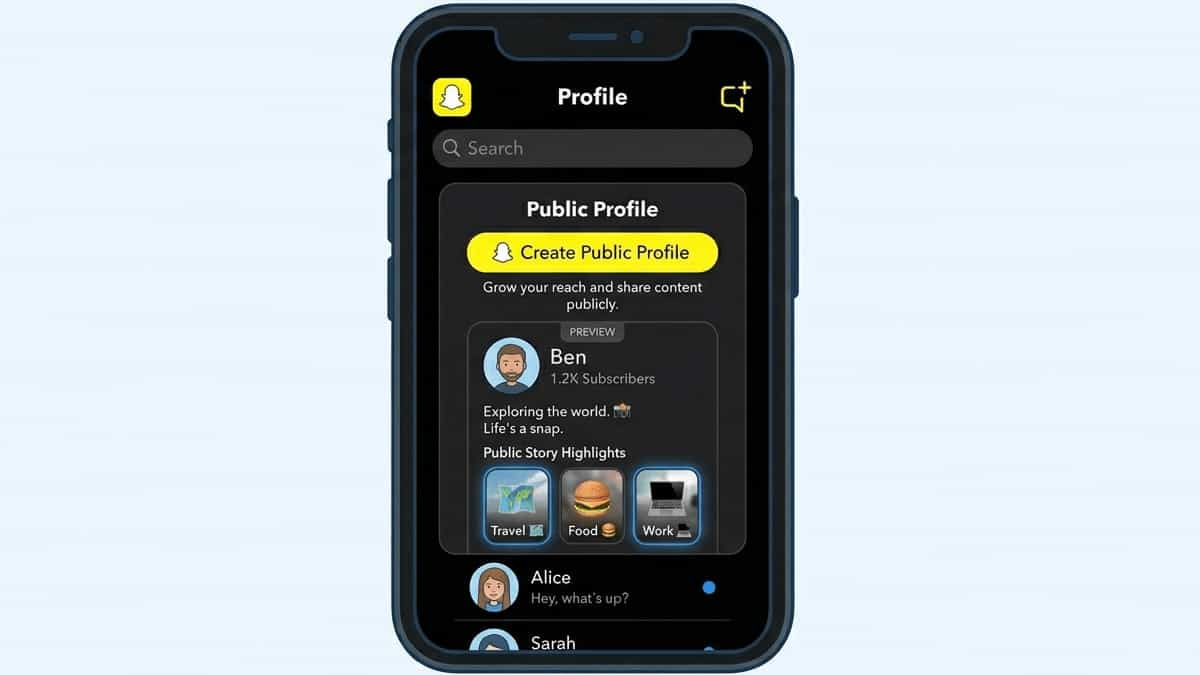
A Public Profile is a dedicated page that anyone on Snapchat can view. It displays your:
- Public Stories (visible to all, not just friends)
- Lenses you’ve created (if any)
- Highlights (pinned content)
- Subscriber count (follower metric)
- Bio and profile picture
Unlike a private account, anyone can follow you without you having to add them back.
Eligibility Requirements
Not everyone can create a Public Profile immediately. Snapchat requires:
- Age 18+ (or 16+ in some regions, but 18+ for most features)
- Account age – Usually at least 24 hours old (sometimes longer)
- Active account – Regular posting and engagement
- No recent violations of Snapchat’s community guidelines
If you meet these, the option will appear automatically. If not, keep using Snapchat normally for a few days.
Step-by-Step: How to Make a Public Profile
- Open Snapchat and tap your Profile icon (top-left corner).
- Scroll down below your Snapcode. Look for the section “Public Profiles” or a banner that says “Create Public Profile”.
- If you don’t see it, tap the gear icon (Settings) → scroll to “Account Actions” → look for “Public Profile” or “Creator Tools”. Some accounts need to wait for the feature to roll out.
- Tap “Create Public Profile”.
- Review the terms and tap “Continue”.
- Customize your Public Profile:
- Profile Picture: Choose an existing Bitmoji or upload a photo.
- Bio: Write a short description (max 150 characters). Example: “Gaming tips & daily vlogs 🔥”
- Link to other socials (optional, if you have a connected website or Instagram).
- Tap “Save” or “Done”.
- Your Public Profile is now live! Anyone can view it by tapping your avatar in chats, stories, or search.
How to Add a Public Story
Once your Public Profile is created:
- Go to the Camera screen and take a Snap as usual.
- Before sending, tap “Send To”.
- Look for the “Public Story” option (usually above your friends list).
- Select it and tap “Send”. The Snap will be visible to all Snapchatters, not just friends.
Managing Your Public Profile
- Edit bio/profile picture: Tap your Profile icon → tap your Public Profile (under your name) → tap the three dots → “Edit Profile”.
- View insights: See how many views, subscribers, and story opens you get.
- Delete Public Profile: Go to Public Profile settings → “Delete Profile” (this removes all public content but keeps your private account).
Pro Tips to Grow Your Public Profile
- Post consistently (daily or every other day).
- Use trending sounds and lenses.
- Cross-promote on other platforms. Learn from: How to Delete Instagram Account Quickly – if you’re leaving Instagram for Snapchat.
- Remove distractions: How to Get Rid of My AI on Snapchat to keep your chat clean.
- Need a catchy bio? Check Attitude Instagram Bio for Girls for inspiration.
Troubleshooting
- “Create Public Profile” not showing? Update Snapchat, wait 48 hours after account creation, or contact Snapchat support.
- Public Story not posting? Ensure your Snap doesn’t contain copyrighted music or sensitive content.
You May Like to Explore: