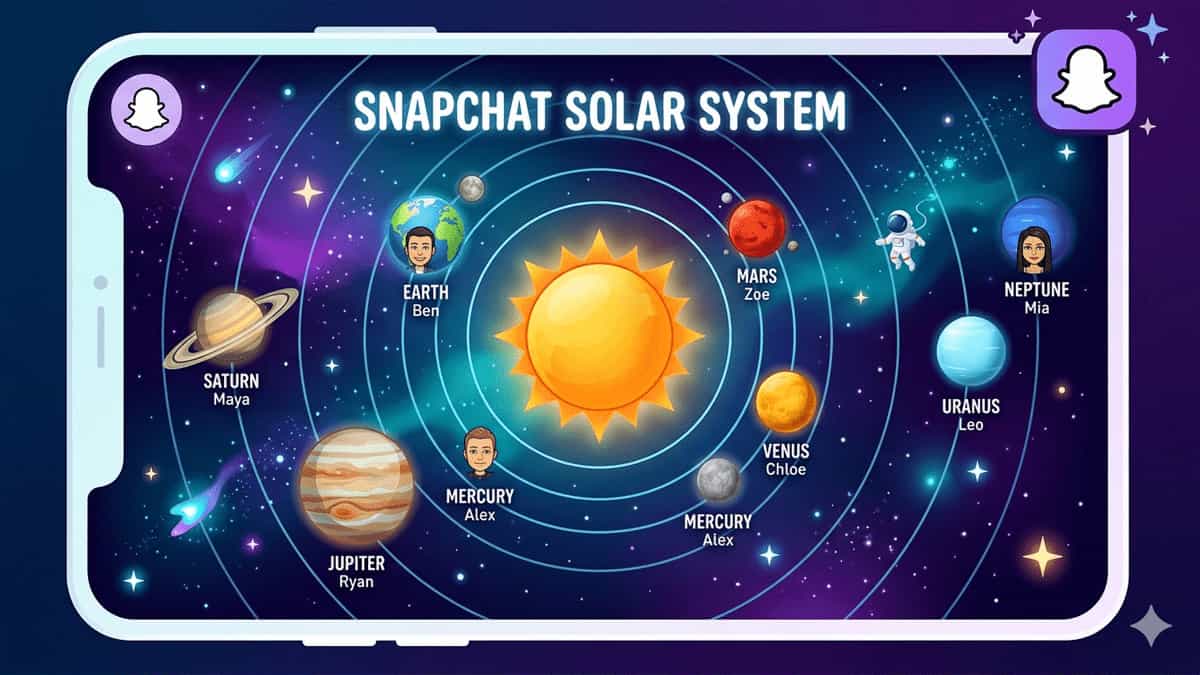
Ever opened a friend’s Snapchat profile and seen a tiny solar system with planets orbiting a sun? That’s the Snapchat Solar System – one of the most talked‑about features of Snapchat+. It turns your best friends into planets and puts you at the center. This guide explains exactly what the Snapchat Solar System is, what each planet means, how to see it, and whether it’s worth upgrading for.
What Is the Snapchat Solar System? (Simple Explanation)
The Friend Solar System is a feature inside Snapchat+ (the paid subscription). It shows you which friends you interact with the most – but instead of a boring list, Snapchat turns your top 8 best friends into planets orbiting around you (the Sun).
Think of it like this:
- You = The Sun ☀️
- Your best friends = Planets 🌍
- The closer the planet to the Sun = The more you Snap and chat with that friend
It’s basically a best friend ranking system – just dressed up in cool space clothes.
What Each Planet Means (Ranking from #1 to #8)
Snapchat assigns a specific planet to each of your top 8 best friends. The order is roughly:
| Planet | Rank |
|---|---|
| Mercury | #1 Best Friend |
| Venus | #2 Best Friend |
| Earth | #3 Best Friend |
| Mars | #4 Best Friend |
| Jupiter | #5 Best Friend |
| Saturn | #6 Best Friend |
| Uranus | #7 Best Friend |
| Neptune | #8 Best Friend |
- If someone is your Mercury → you Snap and chat with them more than anyone else.
- If someone is your Neptune → they’re in your top 8, but you interact less compared to others.
How to See the Solar System on Snapchat
You can only view the Solar System if both of you have Snapchat+? No – actually, you need Snapchat+ to see the Solar System on someone’s profile. But if a friend has Snapchat+ and you’re in their top 8, they can see your planet status.
Here’s how to check (if you have Snapchat+):
- Open Snapchat.
- Go to a friend’s profile (tap their Bitmoji or name in chat).
- Look for the Best Friends badge (usually a gold ring or emoji).
- Tap that badge – a cool Solar System animation will appear, showing which planet that friend is for you.
⚠️ This feature is only available for Snapchat+ subscribers. Free users cannot see the Solar System.
Why Is This Feature So Popular (and Controversial)?
It’s fun because it turns friendship into a game. But it’s also dangerous 😅
- Ego boost: Seeing someone as your Mercury feels great.
- Friendship drama: “Why am I Mars and not Mercury?!”
- Overthinking: Some users get hurt when they realize they’re not someone’s #1.
Snapchat even had to turn it off by default at one point because it caused too many arguments. (Yes, really.)
How to Turn Off the Solar System (If You Don’t Want to Hurt Feelings)
If you have Snapchat+ but don’t want others to see their planet ranking on your profile:
- Go to Settings → Snapchat+.
- Look for “Friend Solar System” or “Best Friends Ranking”.
- Toggle it off.
Once disabled, no one can see which planet they are for you.
Should You Get Snapchat+ Just for the Solar System?
Honest answer:
- Yes, if: You’re a heavy Snapchat user, you love fun visual features, and you won’t get upset over rankings.
- No, if: You only use Snapchat for basic chatting, you overthink relationships, or you hate comparing yourself to others.
Most people say: try the free trial first. If the excitement fades after 3–5 days, cancel. It’s cool, but not life‑changing.
Quick Recap
| Question | Answer |
|---|---|
| What is Snapchat Solar System? | Best friend ranking as planets around you (Sun) |
| Who can see it? | Snapchat+ subscribers only |
| What does Mercury mean? | Your #1 best friend |
| What does Neptune mean? | Your #8 best friend (still top 8!) |
| Can you hide it? | Yes – in Snapchat+ settings |