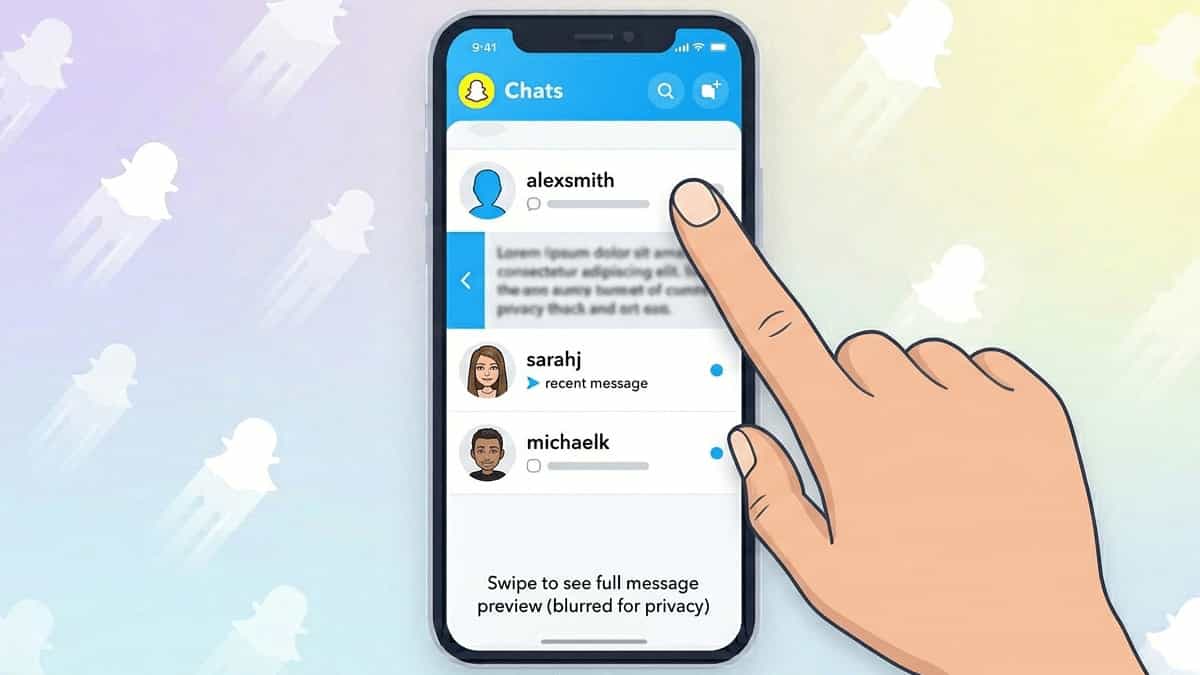
Ever received a Snapchat message you wanted to read secretly without sending a “opened” notification or breaking your streak? The “half swipe” trick lets you peek at a chat without marking it as read. While Snapchat has tried to patch this over the years, many users still find ways to do it. This guide explains what half-swiping is, how to try it on Android and iPhone, and the risks involved.
What Is Half Swiping?
Normally, when you fully swipe right on a chat notification from the Camera or Chat screen, Snapchat opens the conversation and marks all messages as “opened.” The sender sees “Opened” and your Snapstreak timer resets.
Half swiping means partially dragging the chat preview just enough to reveal the message text, then releasing without fully opening. The message stays marked as “delivered” (grey arrow), not “opened.”
Does Half Swiping Still Work in 2026?
Short answer: It’s unreliable. Snapchat has released multiple updates (especially for iOS) that detect partial swipes and still mark messages as opened. Some Android users report success with older app versions. For most users, a better alternative exists (see below).
How to Attempt Half Swipe (If Your App Allows)
On Android (More Likely to Work)
- Open Snapchat and go to the Chat screen (swipe right from Camera).
- Find the chat you want to peek at.
- Place your finger on the far right edge of the chat preview (where the avatar or name is).
- Slowly drag your finger leftward about 0.5–1 cm (just enough to see the message text behind the preview).
- Do not release if you see the chat starting to open fully. Instead, slide your finger back to the right edge.
- Release only when the chat snaps back to preview mode.
On iPhone (Rarely Works)
- iOS updates have largely killed half swiping. Some users try using 3D Touch (on older iPhones) by pressing hard on the chat preview to peek, but that often triggers “opened” anyway.
Better Alternative: Turn on Airplane Mode
This method works 100% of the time and doesn’t risk marking messages as read.
- Disable Wi-Fi and mobile data (turn on Airplane Mode).
- Open Snapchat and fully swipe into the chat.
- Read all messages – they will not show as “opened” because Snapchat is offline.
- Force close Snapchat (swipe up from recent apps).
- Turn off Airplane Mode. The messages stay marked as “delivered.”
Note: Do not reconnect to the internet while still inside the chat, or Snapchat will send read receipts.
Risks of Half Swiping
- Accidental full swipe: You might slip and open the chat, revealing that you read it.
- App updates: Snapchat frequently patches half-swipe glitches.
- Account flags: Repeated unusual swipe behavior might trigger temporary restrictions (rare).
Final Verdict
Half swiping is a dying art. For guaranteed stealth reading, use the Airplane Mode method instead. It’s safer, works on all devices, and doesn’t require tricky finger movements.
You May Like to Explore: